A digital display in a store window features an amika hair product advertisement for in-store holiday shopping, with the text overlay Holiday shoppers already did the research. So what’s your display doing? and the shōmi! logo.

83% of Canadians Plan In-Store Holiday Shopping in 2026

Many Have Already Done Their Research.

Good news if you build stores: 83% of Canadians expect to do their in-store holiday shopping, according to Salesforce data reported by Retail Insider. The not so good news? A lot of those people will know more about the product than your display does before they even park. They’ve read the specs. They’ve checked the price. They’ve read what three strangers thought of it. And the phone with all of that on it is still in their hand when they walk into your store. So the display doesn’t really need to introduce anything anymore. It needs to back up a decision that’s mostly made, show the price without making anyone hunt for it, and give them what their phone can’t: the actual product, full size, in good light.

What the holiday 2026 numbers say

Retail Insider ran Salesforce’s holiday outlook on September 1, with Caila Schwartz, Salesforce’s Director of Industry Insights, walking through the numbers. Canada came in at 83% planning to shop in stores, against 77% across the markets Salesforce tracks. Salesforce also found 42% of shoppers looked a product up online before going into a store, and about 80% use their phones while they shop. (Retail Insider doesn’t say whether those two are Canada-only or multi-market, so read them as Salesforce’s general shopper numbers.) People are watching their money, too: 56% of Canadians say they’re sticking to essentials, and 35% of shoppers are trading down to cheaper options.

Then there’s AI. A second Retail Insider piece, on September 10, says 39% of Canadian shoppers used an AI tool for shopping in the past 12 months, and around 11 to 12% now start there. Using the midpoint, that’s roughly 3 in 10 of the people who’ve at least tried it. Which means some shoppers are starting with a chatbot well before they even reach your display. Fun.

So people still want to go to the store. They just don’t want to learn anything while they’re there.

Let’s talk about design

I’ve been making files for walls, lightboxes and trade show builds for over a decade. Most of that time, the job was introducing the product. Big hero shot, a headline, and “just a couple more lines of copy about the product.” That made sense when the display was the first place someone met the product. It isn’t anymore. A lot of shoppers have already met it, read several strangers reviews, and asked a chatbot if the cheaper version is basically the same. So here are my thoughts on what to do about it.

1. Cut the spec sheet

About 4 in 5 shoppers have a phone in their hand. Your display of bullet points is up against a device with better bullet points and a search bar, and you’re not winning this one. Give the display one clear message, one fantastic image, and set the type big enough to read from the other side of the store. The details can live on the phone. That’s where they’re gonna look anyway.

2. Make the brand easy to spot

If they looked it up first, or a chatbot told them what to buy, they’re walking in looking for a name. So the logo has to read from across the store, not sit tiny in a bottom corner because it was “fighting with the hero image.” The type-size formula in point 5 (below) works for wordmarks too, so do the math. Same goes for colour. If the brand is a specific orange online, the display needs to be that orange, not a close-enough orange. Spec the Pantone, and check it on a lit sample if it’s backlit. And if it’s a brand display inside someone else’s store, you’re competing with the retailer’s signage too. Make sure yours wins at the shelf. Candy Pratts Price, the designer whose work at Bloomingdale’s helped redefine modern visual merchandising, said it plainly in VMSD‘s July-August issue: “Window displays today are driven by brand identity.” Same goes for the wall inside.

3. Match the online version

If 42% looked the product up first, whatever’s on your retail display should look like what they looked up. Same photo, same colour, same name. When the display and the product page don’t match, nobody thinks “ooh, creative.” They think “wait… is this the right one?” And that’s about the last question you want in someone’s head right before they make a decision.

4. Make the price easy to find

With 56% sticking to essentials and 35% buying cheaper versions, price is part of the decision, not something to tuck in a corner. They probably already know what it costs online anyway. “Ask an associate” just means they have to go find one…In December. Nobody has ever left a store thinking, “I loved how hard that was to price.” Put it where the eye goes second, right after the product.

5. Do what a screen can’t

A phone screen is a few inches across. Your wall can be eight feet and backlit. The phone wins on information. The wall wins on size and light. So stop competing with the phone on specs and win where it counts.

The catch is that big only works if it’s sharp. A blurry eight-foot graphic loses to a crisp phone screen every time. So here’s the cheat sheet I wish came attached to every brief.

How sharp does the image need to be? It depends on how close people get. HP’s large-format printing guide breaks it down by viewing distance:

How close they stand Example (HP’s categories) Resolution at final size
Under 2 ft Close-up displays 200-300 PPI
3-5 ft Trade show graphics 150-200 PPI
5-10 ft Posters and banners 100-150 PPI
20 ft and up Outdoor banners 50-100 PPI

What that means in pixels. PPI is pixels per inch: how many pixels of your image get packed into each inch of the printed graphic. More pixels per inch means a sharper print. To find it, divide the image’s width in pixels by the print’s width in inches.

Say you’ve got an eight-foot wall graphic. That’s 96 inches wide (8 × 12 = 96), and people walk right up to it, 3 to 5 feet away. HP’s table says that distance needs 150 to 200 PPI, so we’ll use the low end, 150. That means the file needs to be 96 × 150 = 14,400 pixels across.

Now try a standard 4K image, which is 3,840 pixels wide. Spread across 96 inches, that’s 3,840 ÷ 96 = 40 PPI, roughly a quarter of the 150 you need (40 ÷ 150 ≈ 0.27). It’s below even HP’s 50 to 100 PPI for outdoor banners seen from 20 feet or more, and this is a wall people are standing in front of.

An AI image is smaller still. Midjourney’s own documentation lists an upscaled 16:9 image at 2,912 pixels wide. On the same wall, that’s 2,912 ÷ 96 ≈ 30 PPI, about a fifth of what you need (30 ÷ 150 ≈ 0.2).

So ask for the original high-res files early, before December happens to you.

How big should the type be? The United States Sign Council’s legibility research gives a simple formula: viewing distance in feet ÷ legibility index = letter height in inches. The index runs from 20 to 38 depending on the lighting, typeface, colours and whether the text is all caps or upper and lower case (Signs of the Times). Take 30 as a middle-of-the-road number and a headline you want read from 30 feet away needs letters about 1 inch tall (30 ÷ 30 = 1). That’s the formula’s answer, not a number for someone glancing past with a cart, so I’d go at least double.

Here’s the formula at a few retail distances, using the lowest and highest index in USSC’s table (20 and 38) and 30 as the middle. Letter heights are in inches.

Viewing distance Index 20 (hardest to read) Index 30 (about the middle) Index 38 (easiest to read)
10 ft 0.50 in 0.33 in 0.26 in
20 ft 1.0 in 0.67 in 0.53 in
30 ft 1.5 in 1.0 in 0.79 in
40 ft 2.0 in 1.3 in 1.1 in
50 ft 2.5 in 1.7 in 1.3 in
100 ft 5.0 in 3.3 in 2.6 in

Height = viewing distance in feet ÷ index (30 ft ÷ 20 = 1.5, 30 ÷ 30 = 1.0, 30 ÷ 38 ≈ 0.79). Index 20 is external light, Clarendon, white on black, all caps. Index 38 is neon, Helvetica, white on black, upper and lower case. The height is for the initial capital in upper and lower case, or every letter in all caps (USSC, via Signs of the Times, 2006).

Proof it lit. If it’s backlit, approve the colour on a lit sample, not on your monitor. Your screen and a lightbox are two very different light sources, and the client is only ever going to see one of them in the store.

A word on pop-ups

A pop-up is a temporary store, kiosk or branded display set up in a mall, inside a retailer or on a busy street for a limited run, then taken down. If you’re building one this season, all of this applies with less margin for error. It’s only there for a limited run, so nobody gets time to warm up to it, and it has to earn its spot in the few seconds someone walks past with their phone out. That’s the case for everything above: one message, a brand that’s easy to spot, a price that’s easy to find, and the size and light a screen can’t match.

It’s also a case for starting early. A pop-up runs to a fixed date, and the files, approvals and production all have to land before it does.

What this doesn’t mean

It doesn’t mean slapping a QR code on everything and calling it a day. The shopper’s already got the website open. Sending them back to it from the display is like handing someone a map of the room they’re standing in. If a code gets them something the store can’t (other sizes in stock, delivery, a coupon), great. Otherwise, skip it. Andi Woung, Senior Manager of Windows Creative at Macy’s HSQ, put it better than I can in the same VMSD piece: tech “should complement creativity rather than replace it.”

And the store’s fine, by the way. It just doesn’t have to do the boring part anymore. The spec sheet moved to the phone. What’s left is the physical, persuasive, little-bit-of-a-show part, which, if I’m being selfish about it, is the part designers wanted to do anyway 😉

FAQ

Are Canadians still shopping in physical stores for the 2026 holidays?

Yes. Salesforce data reported by Retail Insider on September 1, 2026 found 83% of Canadian consumers expect to shop in physical stores this holiday season, compared with 77% of consumers across the markets Salesforce tracks.

How many shoppers research products online before visiting a store?

Salesforce found that 42% of shoppers researched a product online before walking into a store, and roughly 80% use their phones while shopping in physical retail. These figures were not reported as Canada-specific.

How should retail displays change for pre-researched shoppers?

Displays should carry less product information and more confirmation: one clear message, visuals that match the product’s online imagery, an easy-to-find price, and an emphasis on what a phone screen can’t deliver, such as scale and lighting.

What resolution does a large-format retail graphic need?

It depends on viewing distance. HP’s large-format guidance recommends 200-300 PPI for close-up displays under 2 feet, 150-200 PPI for graphics viewed from 3-5 feet, 100-150 PPI for posters and banners at 5-10 feet, and 50-100 PPI for outdoor banners viewed from 20 feet or more. An 8-foot-wide graphic viewed from 3-5 feet needs at least 14,400 pixels across (96 inches × 150 PPI).

How tall should letters be on retail signage?

The United States Sign Council’s formula divides viewing distance in feet by a legibility index (20 to 38, depending on lighting, typeface, colour and case) to get letter height in inches. With an index of 30, text read from 30 feet needs letters about 1 inch tall.

How many Canadians use AI tools for shopping?

According to Salesforce research reported by Retail Insider on September 10, 2026, 39% of Canadian shoppers used an AI tool for shopping in the past 12 months, and roughly 11 to 12% now start their shopping journey with AI.
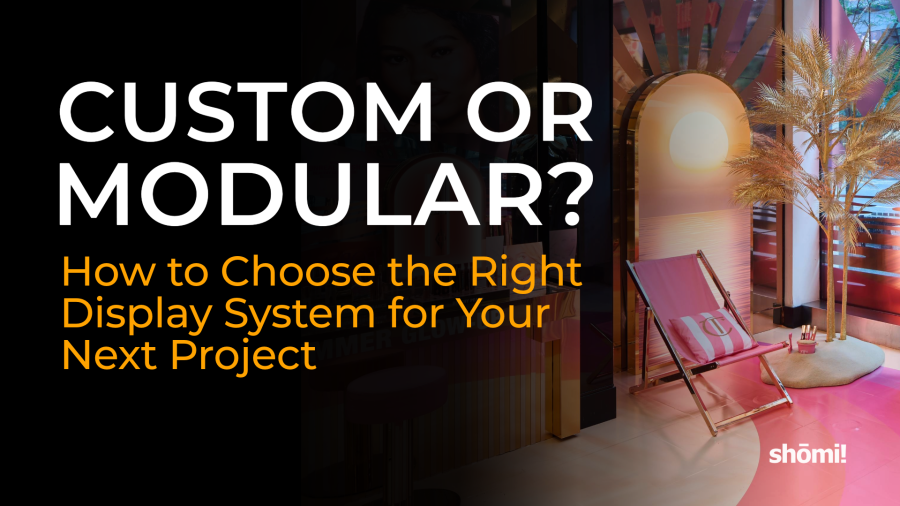

The Shōmi logo sits in the corner of a retail display featuring a pink beach chair, an arch, and a palm tree, accompanied by the text: CUSTOM OR MODULAR? How to Choose the Right Display System for Your Next Project.

Custom vs Modular Displays

What brand, retail, and experiential teams should consider before deciding where to spend their fabrication budget.

Custom display systems are engineered from scratch for one specific environment. Vendor-reported industry data puts fully custom builds at 6 to 12 weeks lead time, running up to 16 weeks for complex projects, and several times the upfront cost of a comparable modular system (FramePlus; Y Exhibits). Modular systems are pre-engineered, reusable components that a client owns outright and redeploys across shows or stores. Once built, they assemble on site in roughly 1 to 3 weeks, cost a fraction of custom per use over time, and trade some one-of-a-kind design freedom for that speed and repeatability.

To be clear about a distinction the industry sometimes blurs: modular is not the same as rental. A rental exhibit is leased per show and returned. A modular system, the kind shōmi! Retail Displays builds, is purchased once and reconfigured or redeployed by the client across many locations or events. This article compares custom fabrication to owned modular systems, not to rental economics.

Most retail and experiential programs, including several of our own, end up using a blend of both. This article breaks down the real cost drivers and real timelines, using vendor-reported industry benchmarks (labelled as such) alongside our own project data, so you can work out which approach, or which mix, fits your next rollout.

What’s the difference between a custom and a modular display system?

A custom display is designed and fabricated for one specific use: one brand, one space, one moment. Every panel, finish, and mechanism is built to spec. That is why shōmi! Custom exists as its own division, focused on pop-ups, experiential activations, and trade show exhibits that need creative flexibility and premium finishes.

A modular display system is built from a standardized, reusable kit of parts, frames, lightboxes, and panel systems that can be reconfigured, redeployed, or scaled across many locations. shōmi!’s own modular product lines, including the iMPAKT lightbox, FABRiK frames, and HORiZON Frameless, are engineered this way: the same core components, deployed in different configurations, store to store.

In practice, the line blurs more often than the marketing suggests. On our Arcadia Earth immersive installation at The Well in Toronto (17,000 square feet), we used modular SEG lightboxes and printed fabric panels that could be broken down to fit through a small front door and reassembled inside, alongside custom-fabricated 3D wood elements built specifically for that space. The brief was to turn a bare retail unit into an immersive underwater environment, with lifelike visuals on the floors, walls, and ceiling. Dimmable LEDs mimicked underwater light, brighter at the top of the fabrics and dimmer at the bottom, and the lighting on the printed fabrics was tuned so it did not overpower the projection mapping. The 3D wood elements were fabricated and staged at shōmi!, then broken down and reassembled on site.

The structural system was modular. The sculptural elements were custom. That combination is common, and it’s worth knowing before you assume an entire project has to go one way or the other.

The lesson: don’t make the entire environment custom simply because part of the creative needs to be custom. Put the fabrication dollars where the customer will actually experience the difference.

How much does each cost?

Custom exhibit footprintTypical total cost, USDTypical total cost, CAD equivalent
10′ x 10′US$8,000 to US$20,000roughly CAD $11,400 to $28,500
20′ x 20′US$30,000 to US$80,000roughly CAD $42,700 to $113,800
20′ x 30′ to 20′ x 40′US$60,000 to US$150,000roughly CAD $85,400 to $213,400
Custom large-format graphics aloneUS$10 to US$25 per square footroughly CAD $14 to $36 per square foot


These are rough estimates in line with our own experience building and quoting custom exhibits. The US dollar figures follow published pricing from RH Visual, a US exhibit house in Round Rock, Texas (page last updated May 12, 2026). The CAD column above is a straight currency conversion at the Bank of Canada rate of 1 USD = 1.4226 CAD on October 6, 2026 (the most recent published rate), rounded to the nearest $100 (graphics to the nearest dollar), included so the US figures are usable for budgeting in Canada. Treat it as a reference floor, not a Canadian market quote: actual Canadian costs also depend on local labour, freight, and material sourcing, which move independently of the exchange rate.

Published sources don’t have an equally standardized dollar benchmark for modular systems, mainly because the upfront number depends on how many times the system gets reused, not just its size. One vendor-reported data point fills that gap, on real operating cost: Skyline, a US exhibit manufacturer, documents Okuma America eliminating more than US$60,000 (roughly CAD $85,400 at the same rate) a year in storage costs after moving to a custom modular strategy.

Our own numbers from a recent 8-location retail display rollout show what that looks like in practice. Client and retailer are withheld here for confidentiality; the cost structure and figures below are real, and are in Canadian dollars, shōmi!’s standard invoicing currency. The display was designed to be modular and deconstructable end to end:

Cost per store (CAD) 
Fabrication (structure, soft goods, powder coating)$12,000
Graphics and print$3,600
Engineering and project management$2,500
Packaging and crating$1,300
Shipping$1,400
Installation labour$7,000
Total per store$27,800
Total across 8 locationsapproximately $220,000

Value engineering and in-house fabrication, repurposing industrial lockers instead of building custom cabinetry, patterning soft goods in-house, and controlling production top to bottom, cut the projected cost by roughly 18% against the original concept. That 18% is a reduction against projected cost on one specific rollout, not an industry average, but it illustrates the real gap between building custom for each location and engineering a system once to deploy several times.

How long does each take to build?

Build typeTypical timeline
Fully custom exhibit or display6 to 12 weeks
Fully custom exhibit or display, complex buildsup to 16 weeks
Modular system, on-site assembly (system already built and owned)5 to 15 working days, roughly 1 to 3 weeks


These are rough estimates in line with our own experience. The custom build ranges follow published lead-time guidance from FramePlus and Y Exhibits. Those figures describe two different moments worth separating. The modular timeline above (1 to 3 weeks) is for assembling a system that already exists, redeploying it to a new location or show. Designing and fabricating a modular system for the first time is closer to a custom build in scope, since the components still have to be engineered and produced before they can be reused. One of our own modular retail rollouts is an example of that first-build case: concept to installation across 8 retail locations, including fabrication of every store’s fixtures, in under 8 weeks. Once a modular system exists, redeploying it to a ninth store would be closer to the range above.

Modular systems also compress timelines on the back end, after the first build. Our JennAir project for PRSPKTV is a clean example. We built a 1,500-square-foot luxury trade show environment (floor, walls, and ceiling) in 4 days on the show floor, using a modular subfloor, SEG-framed fabric walls, and a custom fire-approved mesh ceiling. Because the components were engineered to be reused rather than scrapped after the show, the same floor and wall system was later adapted into a permanent retail installation with incremental rework, not a second full build.

What’s the real trade-off in impact and durability?

Custom fabrication buys design freedom: nonstandard shapes, one-off finishes, and effects a standardized system can’t replicate. The Charlotte Tilbury and Clean installations we built with Park Creative Studio for Sephora both relied on custom-fabricated centrepieces, vacuum-formed acrylic globe lights and three-dimensional cloud structures, that only make sense as one-off builds tied to a specific creative concept.

Modular systems buy repeatability and, often, sustainability. That same 8-location rollout example from above was designed from the outset to be disassembled at the end of the campaign, with wood, metal, and fabric components sorted for reuse or recycling instead of landfill. That is a structural property of modular design, not an add-on: components engineered to come apart cleanly are also easier to retire responsibly.

Which should you choose?

There is no universal answer, but the benchmarks above point to a reasonably reliable rule of thumb. On repeatable cost and speed, modular wins in almost every scenario where a display or exhibit gets used more than once. Custom makes sense less as a frequency calculation and more as a creative one: choose it when the environment is genuinely one-of-a-kind, tied to a specific space or moment that will not be repeated, and the design outcome matters more than repeatable economics.

The honest middle ground, and where most of our own project history actually lives, is a hybrid: modular structural systems (lightboxes, SEG frames, subfloors) that carry the repeatable cost and timeline advantages, paired with a smaller set of custom-fabricated elements where the creative concept genuinely requires them.

FAQ

How long does a custom display take to build?

Fully custom trade show and retail displays typically take 6 to 12 weeks from concept to installation, with complex builds running as long as 16 weeks.

How much does a custom trade show booth cost?

Based on vendor-reported US pricing from RH Visual, a basic 10′ x 10′ custom booth typically runs US$8,000 to US$20,000 (roughly CAD $11,400 to $28,500 at the October 6, 2026 exchange rate), scaling to US$30,000 to US$80,000 for a 20′ x 20′ footprint and US$60,000 to US$150,000 for a large 20′ x 30′ to 20′ x 40′ build. Custom-fabricated large-format graphics alone run US$10 to US$25 per square foot. These are US figures converted at the Bank of Canada rate of October 6, 2026 for reference; actual Canadian quotes also depend on local labour and material sourcing.

How much does a modular retail display program cost per location?

Costs vary by scope, but on one of our own 8-store retail rollouts, the fully built and installed cost came to CAD $27,800 per store, covering fabrication, graphics, engineering, shipping, and installation labour. Client and retailer are withheld for confidentiality.

Can modular displays be reused across multiple stores or events?

Yes. Modular systems are engineered around standardized, reusable components, so the same structural system can be redeployed across locations or repurposed for a new use. On our JennAir project, a trade show floor and wall system was later adapted into a permanent retail installation.

Can a single project combine both custom and modular elements?

Yes, and in practice this is common. Our Arcadia Earth installation at The Well in Toronto used modular SEG lightboxes and fabric panels for the structural system, alongside custom-fabricated 3D wood elements for the sculptural pieces that needed a one-of-a-kind shape.

What materials are typically used in modular versus custom displays?

Modular systems are built around standardized components: aluminum-extrusion or SEG frames, printed fabric or fabric-tension panels, and modular subflooring, the same core parts across shōmi!’s iMPAKT, FABRiK, and HORiZON product lines. Custom builds use whatever the design calls for, which has included vacuum-formed acrylic, welded steel, and custom millwork on our own projects.

When does a custom build make more financial sense than modular?

Rarely, on cost alone. Custom is chosen for creative reasons, a nonstandard, one-off environment, rather than because it is cheaper.

Is a modular or custom display more sustainable?

Modular systems have a structural advantage: components engineered to be reused or cleanly disassembled are easier to responsibly retire than a one-off custom build. On one of our own rollouts, the modular design was built from the outset to be taken apart at end of campaign, with wood, metal, and fabric sorted for reuse or recycling rather than sent to landfill.

Does shōmi! build both custom and modular display systems?

Yes. shōmi! Custom handles premium, one-off fabrication for experiential and retail environments, and shōmi! Retail Displays builds modular, scalable systems, including the iMPAKT lightbox, FABRiK frames, and HORiZON Frameless product lines, for repeatable retail rollouts. Many of our projects combine both.

Sources & References

Sources

Text on a black background: MADE IN CANADA JUST BECAME A PRICING ARGUMENT. A lit sign with a red maple leaf is on the right. White shomi! logo is in the bottom right corner.

Made in Canada Just Became a Pricing Argument

Note: this article reflects tariff measures, rates, and Statistics Canada figures as published as of September 1, 2026. Both countries’ tariff schedules have shifted multiple times over the past year, and Canada’s September 8 countertariffs were not yet in force at time of writing. Confirm current rates and product lists against the government sources linked below before making sourcing, pricing, or purchasing decisions.

TL;DR

The U.S. imposed a 50 percent tariff on Canadian goods on August 22, 2026, with no CUSMA exemption and no expiry date. Canada’s countermeasure follows on September 8: 874 tariff items, $27.6 billion, at 15/25/50 percent duty tiers. Steel, aluminum, furniture, and electronics, the exact inputs in a display build, are on the list, and Canadian wood, steel, and aluminum outputs were already down 8.1, 4.3, and 19.5 percent year over year before this hit. Where a display gets fabricated just became a real pricing variable, not only a values statement.

For years, “we build in Canada” was a values statement. As of this month, it’s a number on a quote.

On August 22, 2026, the United States imposed a 50 percent tariff on a broad range of Canadian goods, with no expiry date and, unusually, no exemption for goods that would otherwise qualify for duty-free treatment under CUSMA (Blakes; CBC News). Canada is answering in kind. Starting September 8, 2026, countertariffs take effect on 874 tariff items imported from the U.S. (RVIA; GHY Trade Compliance), worth $27.6 billion, at duty tiers of 15, 25, and 50 percent depending on the good (Government of Canada). Steel, aluminum, furniture, and electronics, exactly the categories that show up on a retail display fabrication quote, all sit inside Canada’s new countertariff list. Furniture and electronics are also newly caught by the U.S. measure; steel and aluminum face the U.S. border too, but through a separate, already-existing tariff track rather than this new one, a distinction the next section unpacks.

None of this is background noise for anyone buying custom or modular displays right now. It changes what “Made in Canada” is worth on a quote, not just what it says about a supplier.

What Changes on September 8

Canada’s countertariff package matches the U.S. tariffs dollar for dollar, rate for rate, applied at the level of individual tariff item rather than broader category (Government of Canada). The three duty tiers, and what is publicly documented in each so far, look like this:

Duty tierConfirmed categories
50%Steel and aluminum products, furniture, clothing and apparel
25%Appliances, dairy products (including cheese), fish and seafood, certain steel and aluminum derivative products
15%Remaining tariff items on the published list, rate set to match the corresponding U.S. tariff on that good

The list runs to 874 tariff items by trade-compliance counts of the government’s published annex (RVIA; GHY Trade Compliance), detailed down to individual Harmonized System codes, and the government’s own guidance is that importers need to check the specific line, not assume a category-level rate (Government of Canada). Alongside the countertariffs, Canada announced $7.5 billion in new and enhanced domestic support measures for affected workers and businesses: a $1.5 billion Regional Tariff Response Initiative, a $500 million liquidity stream under BDC’s Pivot to Grow program, a $2 billion Canada Strong Diversification Fund, and $3.5 billion in Rapid Response Supports for Workers and Employers (Government of Canada).

The U.S. Side of This

The August 22 U.S. tariff is not a continuation of an earlier measure. It is a new 50 percent duty imposed under Section 338 of the Tariff Act of 1930, a provision that lets the President impose tariffs against a country found to discriminate against U.S. commerce (Blakes). Three proclamations cover different territory: one reaching motor vehicles, electronics, machinery, wood and paper products, chemicals, textiles, plastics, rubber, furniture, and leather goods; one on dairy and related products; and one covering alcohol, hockey equipment, and a handful of other specific goods (Blakes).

Two details matter more than the headline rate. First, there is no stated expiry date. Second, unlike earlier rounds of U.S. tariffs on Canadian goods, this one does not carve out CUSMA-qualifying products, so the trade agreement that was supposed to insulate cross-border manufacturing from exactly this scenario does not apply here (Blakes). Steel and aluminum are notably excluded from this particular action, but only because they are already under a separate, long-standing Section 232 tariff regime, not because they are spared (Blakes).

Canadian Manufacturing Was Already Under Strain

This trade escalation is not landing on a healthy manufacturing sector. Statistics Canada’s own data shows the strain predates the September tariffs: as of December 2025, wood product manufacturing output was down 8.1 percent year over year, iron and steel mills output was 4.3 percent below year-end 2024 levels, and aluminum output had contracted for four consecutive quarters and was down 19.5 percent year over year (Statistics Canada, “Recent developments in the Canadian economy: Spring 2026”).

Those are the exact three materials, wood, steel, and aluminum, that sit inside most retail display and trade show fabrication: millwork substrates, structural framing, and finished metal components. A sector already contracting on volume, now facing new cross-border duties in both directions, is not a sector where material costs are going to hold steady.

What This Means for Display Fabrication Costs

A retail display or trade show exhibit is rarely one material. A typical build might combine powder-coated steel or aluminum framing, millwork panels, printed graphics, and electronic components for lighting or digital integration. Under the new rules, any of those inputs, or any finished display, crossing the Canada-U.S. border in either direction can now carry a 15 to 50 percent duty on top of the listed price, depending on the specific tariff line it falls under (Government of Canada; Blakes).

That changes the math on a decision that used to be mostly about lead time or finish quality: where a display, or the materials that go into it, are actually fabricated. A quote built on components sourced or assembled across the border now needs to account for a duty that did not exist two weeks ago, with no announced end date attached to it (Blakes). A quote built on materials sourced and fabricated domestically does not carry that specific exposure, even though it is not immune to the broader cost pressure hitting Canadian steel, aluminum, and wood producers directly (Statistics Canada).

Why “Built in Canada” Is Now a Line Item

shōmi! is a Canadian fabrication and visual solutions partner. Our engineering, CNC routing, laser cutting, metal fabrication, and millwork happen in-house, domestically, which means a display we design and build for a Canadian client, from Canadian-sourced materials, never crosses the U.S. border to get made. That is a real, current advantage under these rules, and it is worth being precise about what it does and does not solve. It does not exempt us, or anyone else sourcing Canadian steel or aluminum, from the cost pressure already showing up in those sectors’ output numbers, and it does not remove tariff exposure on any material or component that genuinely is imported from the U.S. as part of a build. What it does is remove one avoidable variable from a client’s budget: the cross-border duty that applies specifically when a finished display, or its major components, gets imported across the border.

Our brand promise is clear scope, clear ownership, no surprises. In a pricing environment where a tariff schedule can add 15 to 50 percent to a line item with a two-week runway, the honest version of that promise is telling clients plainly where their materials and fabrication actually happen, and what that does and doesn’t protect them from, rather than letting “Made in Canada” do the talking as a slogan instead of a fact they can check against a quote.

FAQ

When do Canada’s new countertariffs take effect?

Canada’s countertariffs take effect September 8, 2026, at 12:01 a.m. They apply to $27.6 billion of U.S. imports at duty rates of 15, 25, or 50 percent depending on the specific good (Government of Canada), covering 874 tariff items by trade-compliance counts of the published list (RVIA; GHY Trade Compliance).

What triggered Canada’s countertariffs?

The United States imposed a 50 percent tariff on a broad range of Canadian goods effective August 22, 2026, under Section 338 of the Tariff Act of 1930. Canada’s response is designed to match those tariffs dollar for dollar, rate for rate (Blakes; Government of Canada).

Do CUSMA-qualifying goods get an exemption from the U.S. tariffs?

No. Unlike earlier rounds of U.S. tariffs on Canadian goods, the August 22, 2026 measure explicitly applies even to goods that would otherwise qualify for preferential treatment under CUSMA (Blakes).

Is there an end date on the U.S. tariffs?

None has been announced as of this writing (Blakes).

Which materials relevant to display fabrication are affected?

Steel, aluminum, furniture, and electronics all appear among the categories named in Canada’s countertariff package, and wood and paper products, furniture, and electronics are named in the U.S. measure (Government of Canada; Blakes).

Was Canadian manufacturing already under pressure before this?

Yes. As of December 2025, Statistics Canada reported wood product manufacturing output down 8.1 percent year over year, iron and steel mills output down 4.3 percent from year-end 2024, and aluminum output down 19.5 percent year over year after four straight quarters of contraction (Statistics Canada).

Does fabricating in Canada eliminate tariff exposure entirely?

No. It removes exposure to the new cross-border duty specifically, since a display built in Canada from Canadian-sourced materials never crosses the U.S. border to get made. It does not shield a project from the broader cost pressure already affecting Canadian steel, aluminum, and wood producers, and it does not remove tariff exposure on any material or component that genuinely is imported from the U.S. as part of a build.

Does shōmi! fabricate displays domestically?

Yes. shōmi!’s engineering, CNC routing, laser cutting, metal fabrication, and millwork are done in-house in Canada.

Could these tariff rates or lists change?

Yes, and they likely will. Both countries’ tariff schedules have already shifted multiple times over the past year, Canada’s countertariffs had not yet taken effect as of this writing, and neither government has announced an end date. There’s also a real possibility talks between the two countries resume, and the Section 338 legal basis for the U.S. tariff remains untested in court as of this writing (BNN Bloomberg). Treat the figures here as a snapshot as of September 1, 2026, and check the government sources linked below for the current rates before pricing a project.

Sources

Government of Canada, Department of Finance, “Canada announces targeted countermeasures and substantive support for workers and businesses in response to U.S. tariffs” (August 2026; $27.6 billion countertariff package, 15/25/50 percent duty tiers, $7.5 billion support package)

Government of Canada, Department of Finance, “List of products from the United States subject to counter-tariffs effective September 8, 2026” (title as published)

Recreation Vehicle Industry Association (RVIA), “Canada Releases Retaliatory Tariff List” (874 tariff items, published by Department of Finance Canada on August 25, 2026)

GHY Trade Compliance, “Canada to Impose New Counter-Tariffs on U.S. Goods Effective September 8, 2026” (title as published; 874 tariff items, 15/25/50 percent duty tiers)

Retail Insider, “Canadian Retailers Face New Cost and Sourcing Pressures from U.S. Counter-Tariffs” (title as published; independent corroboration of the 874-item count)

Hicks Morley, “Federal Government Announces Counter-Tariffs and $7.5 Billion Support Package for Canadian Workers and Businesses” (title as published; breakdown of the $7.5 billion support package, including the $500 million BDC Pivot to Grow liquidity stream)

Blakes, “U.S. Imposes 50% Tariffs on Canadian Products, Effective August 22, 2026” (Section 338 basis, no CUSMA exemption, no stated expiry, category and exclusion detail)

CBC News, “American tariffs on Canadian goods take effect after trade talks fall apart” (August 22, 2026)

Statistics Canada, “Recent developments in the Canadian economy: Spring 2026” (wood, iron and steel, and aluminum output figures as of December 2025)

BNN Bloomberg, “Untested in court, Trump’s new tariffs on Canada raise legal questions” (August 29, 2026; Section 338 tariff not yet legally challenged, distinct from the earlier IEEPA-based tariffs the Supreme Court struck down in February 2026; notes a real possibility of resumed Canada-U.S. talks)

Note: source titles above are quoted verbatim as published, including where the outlet itself uses “counter-tariffs”; the article’s own running text uses “countertariffs” per house style.

Text graphic with a cloudy sky background reads: Indoor vs Outdoor Retail Display Materials—What actually holds up and why. Learn how outdoor retail display materials stand up to the elements. The word shomi! appears in the lower right corner.

Indoor vs. Outdoor Retail Display Materials: What Actually Holds Up – and Why

Indoor displays have an easy life.

The lighting is controlled. The temperature is consistent. Rain isn’t a concern. Neither is UV exposure, road salt, or freeze-thaw cycles.

Outdoor displays don’t get that luxury.

One of the most common questions we hear is: “What’s the best material for an outdoor display?”

It’s a fair question. It’s also usually the wrong one.

After years of building custom retail displays, we’ve found that displays rarely fail because someone chose a “bad” material. More often, they fail because someone asked a perfectly good material to do something it was never designed to do.

Foamcore isn’t a bad product. Neither is MDF. Neither is standard SEG fabric. They’re all excellent choices, until someone asks them to survive a Canadian winter.

That’s why the first question we ask isn’t whether something should be aluminum, acrylic, or ACM. It’s much simpler.

What does this display have to survive?

Answer that properly, and the material choices become much easier. Get it wrong, and no premium material will rescue the project.

The Material Isn’t the Decision. The Environment Is.

One of the biggest misconceptions we see is the idea that materials are either “indoor” or “outdoor.”

Reality isn’t that simple. Most materials can perform exceptionally well when they’re used in the right environment. They can also fail surprisingly quickly when they’re used in the wrong one.

Take acrylic, for example. An acrylic panel installed inside a shopping centre can look almost identical years later. Install that same panel outdoors without allowing for thermal movement, and seasonal expansion can create stress cracks that weren’t caused by poor manufacturing at all. The material didn’t fail. The application did.

That’s why we spend far more time understanding the environment than discussing products. Before we recommend a single material, we want to understand:

  • Is the display temporary or permanent?
  • Will it be in full sun or under cover?
  • Is it exposed to snow, road salt, or coastal air?
  • Will customers interact with it every day?
  • Does it need to be shipped to multiple locations?
  • Will graphics be replaced regularly?
  • How will it be installed?
  • Who will maintain it?

Those answers usually eliminate half the available material options before we’ve even opened a catalogue.

A display isn’t just a collection of materials. It’s a system. The substrate, graphics, hardware, finishes, fastening methods, shipping method, installation process, and environment all influence each other. Optimizing one while ignoring the others usually creates problems somewhere else.

What Actually Damages Outdoor Displays?

Most people assume rain is the biggest enemy of outdoor displays. Rain is actually one of the easier problems to design around. What shortens the life of outdoor displays is usually a combination of several forces working together.

UV slowly breaks down plastics, fades printed graphics, and shortens the life of many finishes. A display can remain structurally sound while looking tired simply because the graphics weren’t specified for prolonged sun exposure.

Moisture isn’t just rainfall. Humidity, condensation, and repeated wet-dry cycles slowly attack paper and wood cores, causing swelling, delamination, and corrosion over time.

Temperature changes are where Canadian weather becomes particularly demanding. Materials expand when they get hot and contract when they cool, and those movements happen every day. Freeze-thaw cycles repeat that process thousands of times throughout the life of a display. If the design doesn’t allow materials to move naturally, something eventually gives. Sometimes it’s a panel. Sometimes it’s a fastener. Sometimes it’s a graphic.

Wind is often misunderstood as a material problem. More often, it’s an engineering problem. Large panels become sails. Banners pull on mounting points. Freestanding structures experience forces they never see indoors. We’ve seen displays where every material choice was correct, yet the installation still failed because the fastening system wasn’t designed for the loads it experienced.

Outdoor displays rarely fail because of one catastrophic mistake. Instead, they fail because several small compromises stack on top of each other: the wrong substrate, the wrong fasteners, indoor graphics used outside, no allowance for thermal movement, a finish chosen for appearance instead of durability. Individually, each decision seems reasonable. Together, they almost guarantee a shorter service life.

Material at a Glance

Material Indoor Outdoor First thing to fail outdoors Notes
Foamcore / foamboard Yes No Edges swell and delaminate with humidity Short-term indoor use only
Corrugated plastic (Coroplast) Yes Short-term Flutes hold water; print fades Fine for temporary signage, not for seasons
Foam PVC (Sintra, Komatex) Yes Yes Warping under direct heat Weather-resistant; allow for thermal movement
Aluminum composite panel (Dibond, ACM) Yes Yes Very little in normal use Rigid, light, genuinely weatherproof, an outdoor workhorse
Acrylic (PMMA) Yes Yes Cracking if rigidly fixed Good UV stability; better outdoor colour retention than polycarbonate
Polycarbonate Yes Limited Yellowing and surface crazing under UV High impact strength; needs a UV-coated grade outdoors
MDF Yes No Swells the first time it gets wet Indoor structure only
Plywood (standard) Yes Limited Delamination between plies Use marine-grade with sealed edges outdoors
Aluminum (extrusion, sheet) Yes Yes Cosmetic dulling only Self-protecting oxide layer; does not rust
Mild / carbon steel (uncoated) Yes No Rust, quickly Galvanize or powder-coat for any outdoor use
Stainless steel Yes Yes Surface staining on lower grades near salt Use 316 near coastal or salted sites
SEG fabric (dye-sublimated polyester) Yes Limited Colour fade and sag when wet Standard SEG is an indoor material; outdoor needs UV-stable inks and outdoor-rated textile
Vinyl graphics Yes Yes Fading, then lifting at the edges Cast film outlasts calendered film outdoors; lamination adds UV life
Printed banner vinyl Yes Yes Colour fade, then edge fraying Scrim-reinforced; hemmed and grommeted edges extend life; not a permanent substrate
Banner mesh Yes Yes Print fading over time Perforated weave reduces wind load significantly; the right call for large-format outdoor where wind is a factor

Metals: Aluminum, Steel, and Stainless Steel

If we’re building an outdoor structure, aluminum is usually where the conversation starts. Not because it’s perfect. Because it solves more outdoor problems than almost any other structural material.

It’s lightweight, naturally corrosion resistant, easy to fabricate, and requires very little maintenance. Even when scratched, aluminum forms a new oxide layer that continues protecting the material underneath. That’s why you’ll find it in everything from architectural systems to transportation and marine applications.

Steel is a different conversation. It’s stronger, often less expensive, and absolutely the right choice for many structural applications. But untreated mild steel outdoors is simply borrowing time. Eventually, moisture wins. Proper galvanizing or a high-quality powder coat changes that equation dramatically, making steel an excellent option where additional strength is required.

Then there’s stainless steel. Many people assume stainless means “rust proof.” It doesn’t. Standard 304 stainless performs extremely well in most outdoor environments, but near oceans or roads treated with winter salt (which in Canada means most parking lots from November to April), even stainless can develop surface staining over time. That’s where 316 stainless earns its reputation. The addition of molybdenum significantly improves resistance to chlorides and road salt, making it the preferred choice for harsher environments. It’s more expensive. It’s also often cheaper than replacing components prematurely.

One of the easiest ways to overspend on a project is to specify premium materials everywhere. One of the easiest ways to underspend is to specify economy materials where they don’t belong. Good engineering usually lives somewhere in the middle.

Rigid Substrates: ACM, Foam PVC, Acrylic, Polycarbonate

Flat panels are everywhere in retail displays. The challenge isn’t finding one that looks good on installation day. It’s choosing one that still looks good months (or years) later.

For long-term outdoor applications, aluminum composite material (ACM), often recognized by brands such as Dibond, remains one of the most reliable options available. It’s lightweight, rigid, dimensionally stable, and specifically designed to withstand outdoor environments. There’s a reason it has become the industry workhorse.

Foam PVC occupies a different space. It’s easier to machine, lighter than many alternatives, and performs very well outdoors when used correctly. The important words are “used correctly.” Foam PVC expands noticeably in heat. If it’s rigidly pinned in place with no allowance for movement, it can bow or warp over time. The material didn’t fail. It simply wasn’t given room to do what every material naturally does: move.

Acrylic and polycarbonate get confused constantly, and choosing the wrong one is one of the more common outdoor mistakes we see. If long-term appearance is the priority, acrylic is usually the better choice. It maintains excellent optical clarity, resists yellowing, and performs well under prolonged UV exposure. Polycarbonate’s greatest strength isn’t appearance, it’s toughness. Few transparent plastics can absorb impact the way polycarbonate can, which makes it the right call where vandalism or accidental damage is a realistic concern. The trade-off is UV performance: standard polycarbonate can yellow and haze over time unless a UV-protected grade is specified.

Worth knowing: both acrylic and polycarbonate are available with UV stabilizers or inhibitors added at the material level, which meaningfully extends outdoor performance for either, worth specifying when longevity matters.

Neither material is universally better. They’re simply optimized for different priorities. Once that’s clear, the material often chooses itself.

Graphics and Fabric: Where Displays Usually Show Their Age

A display structure can be engineered perfectly and still look tired after a year. Why? Because people notice graphics before they notice hardware.

Outdoor graphics live a much harder life than most people realize. Sunlight fades colours. Heat weakens adhesives. Moisture attacks exposed edges. The difference between a premium cast vinyl and an economy calendered film isn’t obvious on installation day. It becomes obvious six months later. Whenever longevity matters, cast films combined with UV laminates consistently deliver the best long-term performance. As always, the film’s own data sheet is the source of truth, not a rule of thumb.

Structures often outlast graphics. That’s the failure mode most clients don’t anticipate: the display is still standing, the brand is still represented, but the graphics look like they’ve been outside for twice as long.

Fabric deserves its own discussion. Standard SEG has transformed indoor retail environments for good reason. It’s clean, elegant, and easy to replace. But it’s fundamentally an indoor product. Move that same fabric outdoors and UV fades the print, moisture causes sagging, and wind introduces loads the system was never designed to handle.

Small or temporary structures can use stretch fabric outdoors (think FIFA World Cup installations), but expect a lifespan measured in months, not seasons. Outdoor fabric displays absolutely exist, but they’re different products: UV-stable inks, outdoor-rated textiles, and often open-weave fabrics designed specifically for outdoor conditions. Treating an indoor SEG system as an outdoor solution almost always ends in disappointment.

IN THE FIELD: A client came to us with a 6,000 square foot building wrap and a clear priority – maximize the budget on hardware and installation, minimize spend on printed graphics. Their spec called for 12-13oz laminated vinyl, the most economical option available. We told them it wouldn’t hold up. We couldn’t stand behind it for two to three years of outdoor exposure – even without a material warranty, our name is on the job. 

We recommended 15oz coated vinyl instead, paired with UV-curable inks that hold colour and vibrancy significantly better over time than standard inks. They agreed. The wrap stayed vibrant for two and a half years until they were ready for a changeover – exactly the lifecycle they needed, on budget. The hardware investment was protected. The graphics did their job. The difference between the two specs wasn’t dramatic on paper. Outdoors, over time, it was everything.

Frequently Asked Questions

Can I use an indoor retail display outdoors?

Usually not, not without redesigning parts of it. Moving a display outdoors isn’t simply changing its location. It’s changing the environment it has to survive. Materials like foamcore, MDF, standard SEG fabric, and untreated steel perform exceptionally well indoors because that’s what they were designed for. Outdoors, sunlight, moisture, temperature swings, and wind introduce challenges those materials were never intended to handle. In many cases, taking an indoor display outside means rethinking the substrate, graphics, finishes, hardware, and fastening methods, not just the material itself.

What’s the most durable material for an outdoor retail display?

There isn’t one. That’s probably not the answer you were expecting, but it’s the honest one. For structural frames, aluminum is often our starting point, corrosion resistant, low maintenance, and relatively light. Where additional strength is needed, galvanized or powder-coated steel is an excellent choice. In harsh environments near roads treated with winter salt or coastal areas, 316 stainless steel is often worth the investment. For flat panels, ACM has become an industry standard for good reason. The right solution is almost always a combination of materials rather than a single best product.

Acrylic or polycarbonate, which should I choose?

It depends on what you’re trying to protect. If appearance is the priority, acrylic usually wins, it maintains excellent clarity, resists yellowing, and holds its colour well outdoors. If impact resistance is the priority, polycarbonate is difficult to beat. The important thing to remember is that these materials aren’t competitors. They’re specialists. Choosing between them isn’t about which one is better, it’s about understanding which problem you’re trying to solve.

How long will outdoor vinyl graphics last?

That depends far more on the product you’ve specified than the fact that it’s “vinyl.” Premium cast films typically offer significantly longer outdoor life than economy calendered films because they’re engineered differently from the start. Adding a quality UV laminate extends that life even further. Actual lifespan also depends on the environment, a display facing south in full sun experiences very different conditions than one installed beneath a canopy. Manufacturer durability ratings are a starting point, not a guarantee.

Can SEG fabric be used outdoors?

Standard SEG fabric shouldn’t be. It’s one of the best indoor display systems available, but outdoor environments introduce problems it wasn’t designed to solve: sunlight fades the graphics, rain causes sagging, and wind creates loads the frame wasn’t engineered to resist. Outdoor fabric systems exist, but they’re different products built with UV-stable inks, outdoor-rated textiles, and often open-weave fabrics that reduce wind loading. If your project requires fabric outdoors, approach it as a custom outdoor display, not an indoor system moved outside.

Should I choose aluminum or steel?

Both are excellent materials. The better question is why you’re choosing one over the other. Aluminum is generally the safer default outdoors because it doesn’t rust, requires little maintenance, and provides an excellent balance of strength and weight. Steel becomes attractive when additional structural capacity is required or when budget plays a larger role. The key is understanding that steel needs protection outdoors, proper galvanizing or a high-quality powder coat isn’t an upgrade, it’s part of the specification.

What usually fails first when an indoor display is moved outside?

Surprisingly, it’s often not the structure. It’s the things people notice first. Graphics fade. Edges lift. Fabric sags. Wood-based cores absorb moisture and swell. Fasteners begin staining. The display still stands, but it no longer represents the brand the way it did on installation day. A successful outdoor display isn’t one that’s merely standing two years later. It’s one that’s still doing its job.

When should we involve a custom fabricator?

Earlier than most people do. Not because we want to choose your materials. Because many of the decisions that determine how well a display performs happen long before fabrication begins: mounting methods, material movement, shipping, installation, maintenance, serviceability, budget trade-offs. Those decisions become more expensive (and sometimes impossible) to change once a design is finalized. The earlier we’re involved, the more options everyone has. That’s usually good for the budget. It’s almost always good for the outcome.

Where This Leaves Us

If you’ve made it this far, you’ve probably noticed something. This wasn’t really an article about materials. It was an article about decisions.

People often ask us: “What’s the best material for an outdoor display?” After years of building custom displays, we’ve learned that’s rarely the question that determines whether a project succeeds.

The better question is: “What does this display have to survive?”

Once you answer that honestly, the material selection becomes much easier. Aluminum versus steel. Acrylic versus polycarbonate. Cast vinyl versus calendered. Those decisions become consequences of the environment, not guesses based on preference.

That’s the difference between specifying products and engineering solutions.

Materials rarely disappoint us. Assumptions do.

Assuming a display will only be outside for “a few months.” Assuming one climate behaves like another. Assuming a premium material automatically creates a premium result. Assuming engineering can solve every problem after the design is finished.

Good projects usually begin the opposite way, with questions. Because every answer reduces risk, every conversation uncovers another constraint, and every constraint makes the final solution stronger.

If there’s one idea we’d like you to take away: the material isn’t the decision. The environment is.

Once the environment is understood, material selection becomes surprisingly logical. If you’re planning an outdoor retail display (or wondering whether an existing indoor concept can be adapted for outdoor use), we’re always happy to have that conversation early. It’s much easier to solve problems before they’re built than after they’re installed.

Talk to shōmi! before planning your next project.

Large white text over a blurred makeup retail display reads: PERMANENT VS SEMI-PERMANENT RETAIL DISPLAYS – HOW TO DECIDE BASED ON LIFECYCLE, NOT JUST BUDGET. A woman applies lipstick on a screen in the background, highlighting permanent vs semi-permanent retail displays.

Permanent vs Semi-Permanent Retail Displays

How to decide based on lifecycle, not just budget

The best display decision isn’t permanent vs semi-permanent. It’s whether the build matches the intended lifespan. Define that first, and the rest of the spec, including budget, tends to clarify itself.

When teams come to us, the first question we ask isn’t how much they want to spend. It’s how long the display actually needs to perform. Those are very different questions, and confusing them is one of the more reliably expensive mistakes we see at shōmi!.

Not the most expensive. That honour usually goes to approving a build without a site survey, and discovering on install day that the freight elevator is six inches too short.

This article is about making that distinction clearly. The smarter decision tends to follow.

The real question: what’s the intended lifespan?

What you actually need to define is intended lifespan. The labels permanent and semi-permanent describe construction method, not the business need.

A display built for a three-month campaign window isn’t a semi-permanent display that happens to come down early. It’s a three-month display.

A display anchoring a flagship retail environment for three-plus years is a different animal entirely. Briefing it as though it were a pop-up is how you end up with a very expensive pop-up.

The problem is that most teams default to “cheaper” when the timeline is vague or short, and “more premium” when a space feels important. Nobody writes down how long the thing actually needs to stand up. The result is either a flimsy build in a space that needed durability, or an overbuilt structure for a campaign that ended in Q2.

The question that unlocks everything else: how many months will this display be in active use, and under what conditions?

Cost per month of use: a smarter metric

The metric that actually matters: total cost (build + maintenance + any refresh costs) divided by months of active use. Do that calculation for both options before you decide.

Budget conversations tend to focus on upfront cost. That’s reasonable. Upfront cost is the number everyone can see. Cost per month of use is the number that tends to surface later, usually during a budget review nobody was looking forward to.

A modular lightbox system with a higher upfront cost that performs reliably across 36 months works out significantly cheaper per month than a lower-cost build that needs to be replaced or repaired at month 14. Conversely, a well-engineered semi-permanent solution purpose-built for a four-month activation is almost always the right call over a permanent structure that gets torn down before it has paid for itself.

This re-frame also changes how you evaluate maintenance and refresh costs. A display that’s nominally cheaper but requires significant upkeep, or that can’t accommodate graphic swaps without a partial rebuild, often has a higher effective cost per month than it appears on a quote.

Durability vs flexibility: knowing the trade-off

Permanent and semi-permanent systems involve a real trade-off between durability and flexibility, and it’s worth being direct about that rather than pretending one solution does everything equally well.

Permanent or long-lifecycle builds are designed to hold up. Welded frames, hardwired lighting, heavier substrates, site-specific installation. They’re built with the assumption that the environment and the brand direction will remain reasonably stable. When that assumption holds, they perform exceptionally. When it doesn’t, you’re looking at significant cost to modify or remove them, plus a fairly uncomfortable conversation with whoever approved the brief, who is suddenly very hard to find on the org chart.

Semi-permanent and modular systems trade some of that raw durability for adaptability. Graphic changeouts. Reconfigurable footprints. Easier decommissioning. Modular systems, designed well, are still highly durable within their intended use range. But they’re built with change in mind, and that’s a fundamentally different design philosophy.

Neither approach is superior in the abstract. The right question is: how stable is the brand direction, the space, and the product assortment over the display’s intended lifespan? The more stable the answers, the stronger the case for a permanent build. The more variable, the stronger the case for a system that can move with you.

Environmental exposure considerations

Lifespan isn’t just a function of time. It’s a function of what the display is exposed to during that time.

A display in a controlled interior retail environment faces very different demands than one in a high-traffic trade show context, a window installation with direct sun exposure, or an exterior or semi-exterior activation. Materials degrade at different rates. Lighting systems behave differently under temperature variation. Fabric graphics can fade, stretch, or attract particulate in ways that affect how the display reads from even a short distance.

These aren’t edge cases. They are standard variables that should inform material selection, construction method, and anticipated maintenance intervals from the outset. A display spec that ignores environmental exposure is an incomplete spec. It will complete itself eventually, just not in a way you’ll enjoy.

Relevant questions to address before finalizing any build: interior or exterior? Direct sunlight exposure? Temperature range? Expected foot traffic proximity? Cleaning frequency and method? If any of those answers are “we aren’t sure yet,” that uncertainty belongs in the brief, not buried in assumptions.

Planning your refresh strategy before you build

One of the more consistent gaps we see in display planning is that the refresh strategy is treated as a later problem. It isn’t. It directly affects what you should build.

If a display is intended to run for 18 months but the creative direction will change every six months, that’s a modular display with a graphic swap schedule. If it’s intended to run for 18 months with a single consistent visual, the build brief looks quite different. Both are legitimate scenarios. But they require different construction approaches, different materials, and different budget planning.

Mapping your refresh cadence at the briefing stage also surfaces hidden costs that often get missed. Graphic production. Install labour for each swap. Storage or disposal of retired materials. These are real line items, and they’re much easier to plan for when the refresh strategy is defined before a supplier is engaged, not after the display is already built. Discovering them after the fact is a rite of passage nobody needs to repeat.

A display that was never designed to accommodate a graphic change will cost more to update than one that was. That cost is avoidable with planning.

When modular systems outperform fully custom builds

Custom builds have an obvious appeal. They’re purpose-designed for a specific space, they can achieve effects that off-the-shelf systems can’t, and they read as considered and intentional when executed well. For flagship environments with stable long-term briefs, they’re often the right answer.

Modular systems, however, outperform custom builds in a specific and important set of circumstances.

When the display footprint needs to flex across different retail or event locations, a modular system that can be reconfigured to fit multiple footprints will consistently outperform a custom build designed for a single space. When graphic content changes frequently, systems built around tool-free fabric or panel swaps reduce both labour cost and install time. When the client is operating across multiple markets or store formats simultaneously, the logistics and maintenance advantages of a standardized modular system are substantial.

The case for modular also strengthens whenever there’s meaningful uncertainty about the long-term direction of the space. A custom build locks you into a decision that was correct on the day it was specified. Brands change their minds. Spaces get repurposed. Priorities shift after someone attends a competitor’s trade show. A modular system gives you room to adjust.

It’s worth noting that modular doesn’t mean generic. Systems like iMPAKT lightbox and HORiZON Frameless are engineered to deliver high-impact visuals within frameworks that are genuinely flexible. The trade-off between custom and modular is narrower than it used to be.

The permanent vs semi-permanent framing is a reasonable shorthand, but it shouldn’t be doing the work that a proper lifecycle analysis does. Get the lifespan defined, run the cost-per-month numbers, and map the refresh cadence before you brief a supplier.

That’s how you avoid building the wrong thing at the right price.

Frequently asked questions

What's the difference between permanent and semi-permanent retail displays?

The terms describe construction method, not intended lifespan. Permanent displays are typically built with welded frames, hardwired lighting, heavier substrates, and site-specific installation, designed for stable, long-term use. Semi-permanent and modular displays trade some of that raw durability for adaptability, with graphic swap capability, reconfigurable footprints, and easier decommissioning. The right choice depends less on the label and more on how long the display actually needs to perform, in what environment, and how often the creative will change.

How do I decide between a permanent and semi-permanent display?

Start with intended lifespan, not budget. Define how many months the display needs to be in active use, under what environmental conditions, and how often the creative will refresh. Then calculate total cost (build, maintenance, expected refresh) divided by months of active use for both options on the table. A modular system with a higher upfront cost often works out cheaper per month over 36 months than a low-cost build that needs replacing at month 14. The reverse is also true: a well-engineered semi-permanent display is almost always the right call over a permanent build that gets decommissioned before it has paid for itself.

What is “cost per month of active use” in retail display planning?

Cost per month of active use is total project cost (build, maintenance, and any anticipated refresh costs) divided by the number of months the display will actually perform. It’s a more useful planning metric than upfront cost alone because it surfaces hidden costs that don’t appear on the original quote, including maintenance, graphic refresh production, install labour for each swap, and storage or disposal at end of life. Running this calculation for both permanent and semi-permanent options at the briefing stage usually clarifies which build is actually the better value.

When does a modular display outperform a fully custom build?

A modular display outperforms a custom build when the footprint needs to flex across different locations, when graphic content changes frequently, or when the client is operating across multiple markets simultaneously. Modular also wins when there’s meaningful uncertainty about the long-term direction of the space, since a custom build locks in a decision that was correct only on the day it was specified. Modular doesn’t mean generic. Systems like shōmi!’s iMPAKT lightbox and HORiZON Frameless deliver high-impact visuals within frameworks that are genuinely flexible.

How does environmental exposure affect retail display lifespan?

Materially. A display in a controlled interior retail environment faces very different demands than one in a high-traffic trade show context, a window installation with direct sun exposure, or an exterior activation. Materials degrade at different rates, lighting systems behave differently under temperature variation, and fabric graphics can fade, stretch, or attract particulate in ways that affect how the display reads at distance. Environmental exposure should inform material selection, construction method, and maintenance intervals from the start, not be addressed after the build is delivered.

What should a retail display brief include?

A complete retail display brief should define intended lifespan in months, planned refresh cadence and graphic swap schedule, environmental conditions (interior or exterior, sunlight exposure, temperature range, foot traffic proximity), cleaning frequency and method, and budget. If any of those answers are unknown, that uncertainty belongs in the brief itself rather than buried in assumptions. The clearer the brief, the more accurate the cost per month of use calculation, and the more confident the build recommendation that follows.

Black and white image of a man working in a factory or workshop with text overlaid: “Designing for production, not just approval.” Highlighting the importance of designing for production. The shömi logo appears in the bottom right corner.

Designing for Production, Not Just Approval

How to prevent beautiful ideas from becoming expensive problems

Most project problems aren’t design problems. They’re sequencing problems. When production thinking enters a project after approval instead of before it, the cost of every mistake multiplies. This article covers the most common disconnects, what regulations catch teams off guard, and what a real before-and-after looks like when production is brought in too late.

The moment things start to unravel

The client signs off. Everyone’s relieved. The file gets sent to production.

Then the questions start arriving. Can this actually be fabricated at that dimension? Who owns the structural connection detail? What does the mall criteria package require? Will this clear fire egress?The concept was strong. The approval was real. But the design was built for a screen, not a shop floor, and now the gap between the two is being paid for in rework, delays, and margin. This isn’t a failure of creativity. It’s a failure of sequencing. And it’s one of the most preventable problems in branded environments work.

Why beautiful concepts break down in production

Design and production aren’t in conflict by nature. But they operate on different assumptions, and when those assumptions don’t get reconciled early, someone pays for the gap later. A designer working in a presentation environment is optimizing for communication: making an idea legible, compelling, and approve-able. That’s exactly the right instinct for that stage. The problem is when the file moves to fabrication without ever being stress-tested against the physical world.

These aren’t gaps in the anyone’s skills, they’re gaps in process and communication. 

The most common disconnects show up in a predictable cluster:

  • Graphics can be printed perfectly and still fail at install. Silicone beading is structural. If the bead isn’t inserted at consistent depth and uniform tension, edges creep out of the frame, corners pull loose, and surface tension goes uneven. It’s not a problem you see in the proof — it’s a problem you see after the display has been up for a week, or after the first time it’s removed
  • Materials called out without confirming availability at the run quantity or lead time the project requires
  • Dimensional elements designed without any structural logic, leaving engineering to reverse-engineer the intent
  • Tolerances ignored entirely, because on a screen, everything fits

Tolerances: why a few millimetres can cost a full reprint

When a sign is designed, a few millimetres of deviation is invisible. When that sign is fabricated and standing next to the one beside it in a row, those millimetres are the difference between a clean system and one that looks like it came from different projects.

Tolerances aren’t a production afterthought. They’re a design input, and production’s job to provide them early enough to matter.

In SEG fabric displays, this becomes especially precise. The silicone edge has to fit the extrusion channel correctly. If the fabric is printed or cut outside of the tolerance range, the tension is wrong, the surface ripples or sags, and the visual integrity of the display collapses. A few millimetres, in the wrong place, costs a reprint across the full run.

The broader issue is that tolerances establish the relationship between design intent and production reality.

When that relationship isn’t defined in the design file, it gets defined by whoever’s standing at the machine. That’s not where you want that decision made.

Structural realities most designers never see

A rendering looks solid. It’s holding itself up, it’s casting the right shadows, the proportions feel right. What the rendering doesn’t show is what’s actually keeping it there.

Structural questions that have to be answered before fabrication:

  • How is the display anchored, and to what?
  • What’s the load rating of the ceiling or floor at the install location?
  • If it’s a hanging element, what are the rigging requirements and who certifies them?
  • If it’s freestanding, does it meet tip-over standards?
  • If it’s a counter or kiosk, does the substrate support the hardware being mounted to it?

These aren’t obscure questions. They’re questions that will be answered before the project ships regardless.

The only variable is whether they’re answered during design, when changes are cheap, or during fabrication, when they’re not. Branded environments are physical infrastructure. They have to behave like it.

The regulations that catch teams off guard

Three categories of regulation create the most friction when they’re discovered late.

ADA and provincial accessibility standards
Mounting heights, projection distances from circulation paths, character sizing, contrast ratios, these parameters govern a range of display and signage attributes. In Canada, provincial accessibility legislation adds requirements that don’t always align with what teams familiar with US standards might expect. A sign designed without these parameters can require repositioning at install, or in some cases, a full remount.

Fire code and material classification
Not every substrate, laminate, or fabric passes in every jurisdiction or occupancy type. A material acceptable in a trade show environment may not meet the classification required for a permanent retail installation. When the spec doesn’t account for this, the material gets flagged at permit stage, or worse, at inspection, with a live installation on the clock.

Venue and mall criteria packages
Landlords and mall management groups have their own design criteria, governing everything from maximum display heights to approved fastening methods to restrictions on illuminated elements. Getting those criteria into the design process at concept stage takes less than a day. Getting a design revised to meet them after approval can take weeks.

Engineering early vs. fixing later

It’s cheaper to think than to rebuild.

When engineering input enters a project at concept stage, it shapes decisions while they’re still inexpensive. A structural connection gets designed correctly the first time. A substrate gets confirmed against the hardware it needs to support. A tolerance gets set that production can actually hit.

When engineering input enters at the back end, after concept approval (often after fabrication has begun), it’s not shaping decisions anymore. It’s auditing them. And it’s usually finding problems that are now expensive to fix.

The cost of a production review at concept stage is a fraction of the cost of a redesign, a remade component, a delayed install, or a failed inspection.

A before-and-after: what late production input actually costs

The setup

A retail brand rolling out a new in-store display system across 22 locations. The display includes a freestanding tower with an illuminated SEG face, a  antilevered shelf system, and custom-printed header graphics. Three rounds of client review. Clean approval.

What production found

  •  SEG graphics printed perfectly and still failing at install because beading quality wasn’t there. Inconsistent bead depth, uneven tension, edges creeping out of the frame after the first removal.
  • The cantilevered shelf had no specified wall connection detail. Two of the 22 locations had concrete walls, which the spec didn’t anticipate.
  • The header graphic dimensions exceeded the maximum fixture height allowed by one of the mall operators on the list.
  • The specified fabric hadn’t been tested for the fire code classification required for the retail occupancy category.

What fixing it cost

  • The SEG graphic required a revised template and a reprint across the full run.
  • The shelf connection was re-engineered with a second bracket variant for concrete locations.
  • The header was redesigned and re-approved.
  • The fabric was substituted, which pushed lead time. The project shipped three weeks late and the cost overrun was absorbed through supplier negotiation and margin reduction.

What early production input would have changed

Every one of those issues would have been a one-line fix at the design development stage.

The SEG template would have been built correctly from the start. The shelf connection would have included wall-type variants as a standard scope item. The mall criteria package would have been pulled before the height was fixed. The fabric would have been confirmed against the fire classification before the spec was written.

What a production-first workflow actually looks like

It doesn’t require restructuring a project or adding weeks to the schedule. It requires a structured checkpoint at design development, before the file is locked, where fabrication, structural, and regulatory questions get reviewed while changes are still inexpensive.

The questions that surface at that checkpoint are the same questions that would surface in production regardless. The only variable is when they surface, and whether the answer costs an hour of review or a week of rework.

The best projects aren’t the ones where production finds no problems. They’re the ones where production was part of the conversation early enough that there were no surprises left to find.

If you’re on the agency side of that conversation, we’ve written a companion piece on the specific questions worth asking your fabricator before a design gets locked: What Agencies Should Ask Fabricators Before Finalizing a Design.

A graphic with the text Before you budget: The real cost of retail displays beside a magnifying glass focusing on a retail store entrance. The shomi! logo is in the lower right corner.

Before You Budget: The Real Cost of Retail Displays

Where budgets actually go, and where they fall apart

Most clients come in with a number in mind. That number is usually wrong, not because they’re uninformed, but because nobody ever told them what retail display cost is actually paying for. This guide is an attempt to fix that.

The Quote Is Not the Cost

When a fabricator sends a quote, it’s easy to read it as a price for stuff. Materials. Some labour. Maybe shipping. That’s not what you’re buying. You’re buying a set of coordinated decisions about engineering, lead time, logistics, site conditions, and risk, wrapped in a dollar figure that assumes everything goes reasonably well. When things don’t go reasonably well, the number changes. And it always changes upward.

What Drives Retail Display Cost

Most clients assume materials are the main variable. They’re not. Here’s where retail display cost actually goes:

Materials (25-35%)

Fabric, extrusions, LEDs, substrate, hardware. It’s the most predictable part. What shifts it in Canada is import duty on components sourced from the US or overseas, which doesn’t always show up until the invoice arrives.

Labour and Fabrication (30-40%)

Cutting, welding, finishing, assembly, quality control. In Ontario, skilled trades wages are among the highest in the country, before you factor in statutory holidays, vacation pay, and benefits baked into shop rates. This is where Canadian custom builds often come in above what clients expect if they’ve been quoted on US-produced work. Engineering Structural drawings, load calculations, hardware specifications, revision cycles. In Canada, anything ceiling-hung or structurally attached in a commercial space will typically need to meet provincial building code requirements and, in some cases, require a stamped engineer’s drawing. It’s the first thing that gets cut when budgets tighten. It’s also how you end up with a beautiful display that can’t pass inspection.

Logistics, Crating, and Freight (8-15%)

Cross-border shipments between Canada and the US add brokerage fees, customs clearance, and possible duties depending on where components were manufactured. Shipping to Western Canada or remote locations adds meaningful cost over Ontario-to-Ontario runs.

Installation

Where the most budget surprises live. See the section below.

Why Custom Fabrication Is Rarely ‘Just Materials’

The complicated part isn’t the frame. It’s building something that ships in four pieces, arrives intact, assembles in 45 minutes without a fabricator on-site, fits within 1/8″ of a wall that was measured six weeks ago, and still looks like the render when it’s done. Custom retail display fabrication charges for the thinking behind the object, the decisions that make it buildable, shippable, installable, and replaceable. When those decisions are made well, the build feels effortless. When they’re skipped to hit a price, you find out during install.

Prototype vs. Rollout: The Math Most Clients Miss

A prototype costs more per unit than a rollout. What’s less expected is how much more, and what that gap is paying for. The prototype carries the full cost of figuring things out: testing material selections, refining assembly sequences, tightening tolerances. The per-unit cost on a rollout of 40 isn’t 40 times the prototype. It might be 40 times 60% of the prototype, or less, depending on complexity. That savings only materializes if the prototype was done right. A prototype that cuts corners to look affordable usually produces a rollout that costs more to fix than the savings were worth.

The Costs Nobody Budgets For

These aren’t line items on most quotes. They’re what shows up on change orders.

Site conditions

Walls that aren’t plumb. Ceilings 3″ lower than the drawing said. Electrical not where the plan shows it. Discovered on install day. Resolved in real time, at real cost.

Union labour

Major Canadian venues, including convention centres in Toronto, Vancouver, and Montreal, have their own trade jurisdiction agreements. Rigging, electrical, and certain structural work must often be performed by the venue’s own trades. Not knowing this before you bid a project is expensive.

Permits

In Ontario and most Canadian provinces, anything structurally attached, suspended from a ceiling, or installed in a public-facing commercial space can trigger a permit requirement under the provincial building code. Permit timelines don’t care about your install schedule.

Freight damage

It happens. Recovery speed depends entirely on whether spare components were built and whether anyone thought about this before the truck left the building.

Change orders

These aren’t a fabricator tactic. They’re what happens when design-phase decisions collide with reality. Front-load the right conversations about tolerances, site conditions, logistics, and access, before anything is built.

What Retail Display Cost Looks Like in CAD

All figures in Canadian dollars. Every project is different, but rough ideas are useful.

Budget (CAD)Typical ScopeKey Risks
$50KModular systems: SEG frames, standard lightbox profiles, pre-engineered hardware. Graphic-driven, not structure-driven.Little room for site surprises or cross-border shipping complications.
$150KGenuine custom becomes accessible. Prototype plus limited rollout, or one well-executed flagship.Scope creep in the design phase. Budget explicitly for engineering sign-off and Canadian permits.
$500KFull environment: multiple display systems, engineered structures, immersive elements, multi-trade logistics.Timeline. Scope changes at this scale don’t just cost money, they cost weeks.

What This Means for How You Plan

Budget conversations work better when they start with scope, not a number. What does this display need to survive? One season or five years? One location or forty? A single graphic or monthly updates?

The builds that stay on budget aren’t the ones with the most conservative quotes. They’re the ones where the right questions were asked early enough that the quote actually reflected what was being built. That’s the conversation worth having before anything gets designed.

If you’re early in a project and want to understand what your budget can realistically do, get in touch before anything is locked in.

shomi.ca | [email protected] | 1-866-667-4664