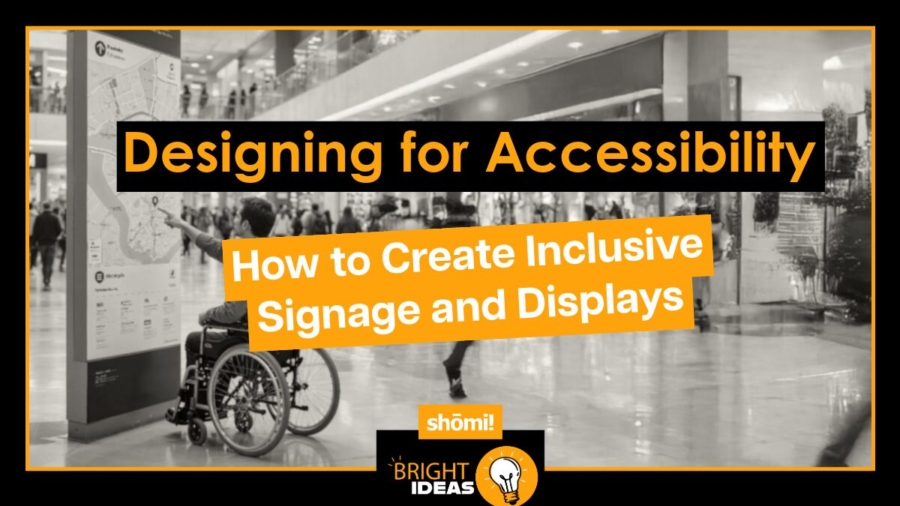
Designing for Accessibility-2

Designing for Accessibility: How to Create Inclusive Signage and Displays

In today’s world, the need for inclusivity and accessibility is more important than ever. Brands have a responsibility—not just an opportunity—to ensure that their visual displays and signage are designed with everyone in mind, ensuring that they are easy to understand, navigate, and interact with. Creating accessible designs isn’t just about meeting legal requirements, it’s about fostering an environment where everyone feels welcome

Let’s explore how to design signage and displays that are inclusive and effective for all audiences.

Understand the Basics of Accessibility

Before diving into the creative process, it’s essential to understand what accessibility actually means in the context of signage and visual displays. Accessibility refers to the design of products, devices, services, or environments for people with disabilities. But it goes beyond that. It’s about making your content clear, easy to navigate, and welcoming for everyone, including those with temporary impairments or people who might face difficulties due to situational factors like low light or loud environments.

For signage, accessibility involves considering factors like visual impairment, mobility restrictions, cognitive disabilities, and hearing impairments. And while it might sound complex, creating accessible designs isn’t rocket science—it’s about empathy, thoughtfulness, and a few design best practices.

2. Prioritizing Contrast for Legibility

The most basic rule of accessible design is ensuring readability. Your message can be powerful, but if no one can read it, it’s lost. Contrast between text and background is a critical factor for readability, especially for people with visual impairments or color blindness.

Ensure a high level of contrast between text and background. Dark text on a light background (or vice versa) typically works best. For instance, think bold black letters on a clean white surface or light text on a rich, dark background—simple but highly effective.

Avoid subtle color differences or decorative backgrounds that can obscure the message. Clear, bold visuals are essential, particularly when designing large-scale displays for environments like trade shows or storefronts.

3. Font Matters: Choose Wisely

When it comes to typography, not all fonts are created equal. Decorative or overly stylized fonts may look unique, but they can be difficult to read, especially for individuals with dyslexia or visual impairments. Stick to simple, sans-serif fonts like Arial, Helvetica, or Verdana, which are clean and easy to decipher at a glance.

Additionally, avoid using italics or all caps for long text, as these styles can be harder to read for people with cognitive or visual disabilities. And don’t forget about size! Your text should be large enough to be read comfortably from a reasonable distance. For example, in a retail environment, signage needs to be legible from at least 10-15 feet away.

Text that’s too small or cramped can be difficult for anyone to read, especially from a distance. Large, well-spaced text ensures readability for everyone, including people with low vision or cognitive disabilities. It’s also a good idea to avoid using all caps for longer messages, as that can make it harder for the eye to process the information.

4. Strategic Placement and Layout

The physical placement of your signage is just as important as the design itself. If a person in a wheelchair can’t see your signage because it’s too high, or if it’s tucked away in a corner that’s hard to access, then it’s not serving its purpose.

When designing for accessibility, place signs where they are easily visible and reachable. For example, signs at entrances should be at a height that can be easily seen by all users, including those who are standing, seated, or using mobility devices. As a general rule, positioning signage between 48 and 60 inches from the ground works for most people, including those in wheelchairs.

Don’t forget about lighting! Adequate lighting is essential for visibility, and reflective surfaces can make signs easier to spot in both well-lit and dim environments. The last thing you want is your message getting lost because it’s shrouded in shadows.

5. Incorporating Symbols and Icons

Text alone isn’t always the best way to communicate your message—sometimes, symbols and pictograms can be more effective. This is especially true in environments where language barriers may exist or for people with cognitive disabilities.

For instance, universally recognized symbols like a phone for customer service or a wheelchair symbol for accessibility are clear and instantly understandable.

Combining text with symbols not only makes your display more accessible but also speeds up comprehension for everyone, including those in a rush or those who speak a different language.

6. Braille and Tactile Signage for the Visually Impaired

For individuals who are blind or visually impaired, tactile signage and Braille are essential. Including Braille on directional signs, room identifiers, or other important signage ensures that everyone can navigate a space with ease. Tactile signage should be installed at a height that is comfortable to reach, similar to visual signage, ensuring it’s accessible to all users.

Braille should be crisp and well-placed, typically below the corresponding text on a sign. Including Braille, especially in public and retail spaces, ensures that no one is left out of the experience, regardless of visual ability.

7. Considering Hearing Impairments in Display Design

While accessibility is often seen as a visual issue, it’s important to consider those with hearing impairments, especially when your displays incorporate sound. Subtitles or captioning are effective ways to communicate audio information visually. In spaces where announcements or audio cues are important, including written or visual equivalents ensures everyone can access the content.

Interactive displays that rely on sound should include visual cues or allow for a tactile interaction as well. Incorporating multiple senses into a display not only improves accessibility but also enhances the overall experience for a broader audience.

8. Testing with Real Users

One of the most effective ways to ensure that signage and displays are truly accessible is to test them with users who have disabilities. This can provide insight into potential barriers or design oversights that might not be obvious during the initial stages of development. Whether it’s someone with a visual impairment or a mobility challenge, gathering feedback from diverse users helps fine-tune the design to be more inclusive.

It’s also a good idea to use accessibility tools during the design phase to simulate how your display might be experienced by people with different impairments. Tools that replicate color blindness or visual impairments can offer valuable perspective.

Why Accessibility Matters in Branding

Making your signage and displays accessible isn’t just a nice thing to do—it’s a smart business move. More and more consumers are choosing to support brands that prioritize inclusivity, and an accessible display sends a clear message that your brand cares about all its customers. Plus, accessibility often leads to better usability for everyone, which can improve engagement and customer satisfaction overall.

In an age where inclusivity is both a social and business imperative, designing accessible signage and displays sets a powerful example of thoughtfulness, empathy, and forward-thinking design. By making a few mindful choices—like prioritizing contrast, using simple fonts, and ensuring signage is easy to navigate for everyone—you can create environments where no one feels left out. And in doing so, you make your message, your brand, and your experience more powerful for everyone.

Whether you’re planning your next big pop-up, outfitting a retail space, or rolling out a trade show booth, keep accessibility at the forefront of your design strategy. Let’s work together to create displays that speak to everyone.

Retail Displays Gone Wrong Title

When Retail Advertising Displays Go Wrong

Retail Displays Gone Wrong Title

Retail Display Fails & How To Avoid Them

At shomi! inc., we know that a well-crafted retail display can make or break your brand’s image. From banners and banner frames to signs and lightboxes, these tools are essential for grabbing attention and driving customer engagement. But what happens when things go wrong? Let’s take a look at some real-life examples of retail advertising blunders and what you can do to avoid them.

1. Dim or Inconsistent Lighting in Lightboxes

The Problem: Lighting can either highlight your products beautifully or cast them in an unflattering light—literally. Inconsistent or dim lighting in lightboxes can make your display look unprofessional and diminish its effectiveness.

Real-Life Example: In 2017, Apple faced an issue with their lightbox displays in some stores. The problem? Inconsistent lighting due to a manufacturing defect in the LED panels. The dim and uneven lighting in some lightboxes caused a visible difference between displays, leading to customer complaints and a costly recall. While Apple swiftly addressed the issue, the inconsistency in lighting marred the premium feel typically associated with their stores.

How to Avoid: Invest in high-quality, reliable lighting solutions. At shomi!, we ensure that all our lightboxes use top-grade LEDs that provide bright, consistent illumination. Regular maintenance and quality checks are also essential to prevent issues before they arise.

2. Poorly Installed or Misaligned Signs and Banner Frames

The Problem: No matter how beautiful your design is, if your signs or banners are installed crookedly or are misaligned, they can undermine your brand’s image.

Real-Life Example: In 2019, Toys “R” Us tried to make a comeback by reopening stores in the U.S. However, in one of their flagship stores, a large exterior banner was installed incorrectly, with noticeable misalignment. The crooked banner became a symbol of the company’s struggles, drawing negative attention on social media and undermining the excitement surrounding the store’s reopening.

How to Avoid:
Proper installation is key. At shomi!, our team ensures that every banner, sign, and frame is installed with precision, so your displays look polished and professional from every angle.

3. Outdated or Damaged Banners and Signs

The Problem: Faded, torn, or outdated banners and signs can give your store a neglected appearance, sending the wrong message to potential customers.

Real-Life Example: In 2020, Sears stores, which were already struggling, became infamous for their outdated and damaged signage. Faded store signs and tattered banners outside several locations signaled a lack of care and attention, which only reinforced the public’s perception that the brand was in decline. This contributed to the company’s ongoing financial woes and eventual closures.

How to Avoid: Regularly inspect and update your displays. At shomi!, we use durable materials that withstand the elements, keeping your banners and signs looking fresh and vibrant.

4. Inconsistent Branding Across Displays

The Problem: Your brand’s visual identity needs to be consistent across all platforms. Inconsistent branding in your signage or banners can confuse customers and weaken your brand’s impact.

Real-Life Example: In 2016, Gap launched a new logo as part of a rebranding effort. The new logo was met with overwhelming backlash from customers, designers, and the general public. The change was so unpopular that it became a trending topic on social media, with many mocking the new design and creating their own versions of it. One major issue with the rebranding was the inconsistency in its rollout. Some stores and online platforms still displayed the old logo, while others had switched to the new one. This inconsistency created confusion and diluted the brand’s identity, making it difficult for customers to associate the new logo with the Gap brand. The inconsistency not only diluted the brand message but also hurt the rebranding effort, ultimately leading Gap to revert to its original logo within just a week.

How to Avoid: Ensure all branding elements are consistent across all displays. At shomi!, we work closely with our clients to maintain uniformity in all aspects of their visual displays, ensuring a cohesive and professional brand image.

5. Overly Complex Designs

The Problem: Complex or cluttered designs can be difficult to read and understand, especially from a distance. If customers can’t quickly grasp your message, they might just walk away.

Real-Life Example: In 2015, J.C. Penney launched a series of in-store promotional banners with intricate designs and a mix of various fonts and colours. The banners were meant to communicate multiple offers and discounts at once, but the result was a cluttered and confusing visual that customers struggled to decipher. The overly complex designs led to frustration rather than engagement, causing the campaign to underperform and prompting a quick redesign.

How to Avoid: Simplicity is key. At shomi!, we design banners and lightboxes with clear, concise messaging that captures attention and communicates effectively. By focusing on the essentials, we ensure that your displays are not only eye-catching but also easy to understand, making a lasting impact on your audience.


From inconsistent lighting to outdated banners, these real-life examples show that even the smallest mistake can have significant consequences for your brand. By paying attention to details and working with professionals who understand the importance of quality and consistency, you can avoid these common pitfalls. At shomi!, we specialize in creating flawless retail advertising displays that help your brand stand out for all the right reasons. Whether you need banners, signs, or lightboxes, we’ve got the expertise to ensure your displays are always a shining success.