
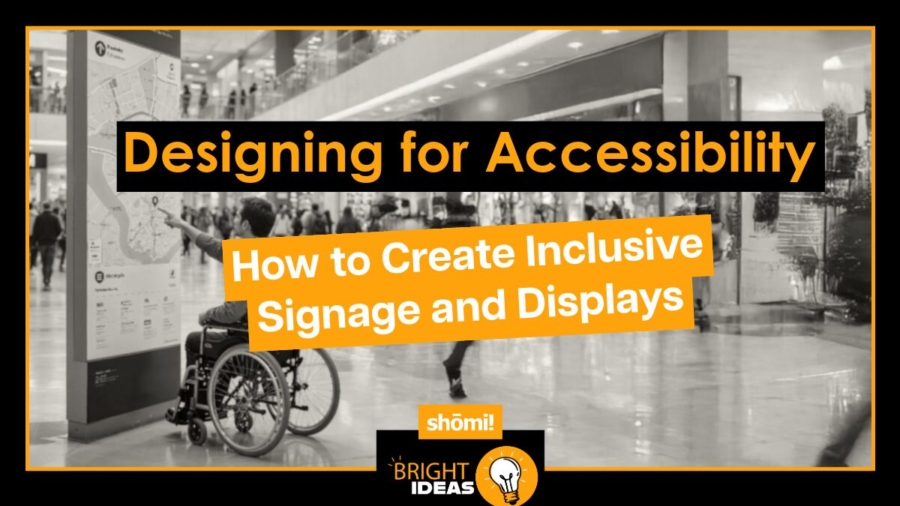
Accessibility isn’t a checkbox. It’s the difference between signage that reaches every customer and signage that quietly excludes a portion of them. The good news: most of what makes a display accessible also makes it better for everyone else who walks past it.
Here’s what to think about when you’re designing signage and displays that work for the widest possible audience, with specific examples drawn from the kinds of builds we work on every day.
Start with what accessibility actually means
Accessibility in signage isn’t only about permanent disability. It’s about designing for people with visual, mobility, cognitive, and hearing differences, and for everyone navigating temporary or situational impairments: trade show floor glare, dim retail lighting, crowded aisles, a phone in one hand, a kid pulling on the other.
Design for the hardest case and the easy ones take care of themselves. A FABRiK Frame that reads clearly from a wheelchair in a busy expo hall reads clearly for everyone else, too.
Prioritise contrast for legibility
The most basic rule of accessible design: if no one can read it, it doesn’t matter how good the message is. Contrast between text and background does more for legibility than almost any other variable, especially for people with low vision or colour blindness.
This is where lightbox graphics have a built-in advantage. iMPAKT Lightboxes are backlit, which dramatically improves contrast and readability compared to printed signage in ambient light, especially in environments with mixed or low lighting. But backlighting doesn’t fix a low-contrast graphic. Pale type on a busy background looks worse when it’s lit, not better. The graphic file has to do the work first.
For large-format builds (backwalls, retail end-caps, suspended FABRiK Frames), keep contrast high and unambiguous, and check the graphic at full size before committing. What reads fine at 11×17 inches can disappear at 8 feet wide.
Choose typefaces that hold up at a glance
Decorative or heavily stylised typefaces can look distinctive, but they fail when readers have dyslexia, low vision, or just a few seconds to scan a trade show aisle. Stick to clean sans-serifs like Helvetica, Arial, or Verdana. Avoid italics and long stretches of all caps; both slow comprehension.
Size matters too. Booth headlines on a 10-foot FABRiK Frame need to read from across the aisle, which is typically 15 to 20 feet. Retail signage usually needs to be legible from at least 10 to 15 feet. The rule of thumb: 1 inch of cap height for every 10 feet of viewing distance, then go bigger if you can.
Place signage where people can actually see it
A perfectly designed sign mounted too high, tucked into a corner, or blocked by a fixture isn’t doing its job. This is where the placement strategy across a build matters: suspended Lanterns and iNTERPOLE hanging displays carry messaging above the crowd for distance visibility, while wall-mount FABRiK Frames and HORiZON Frameless displays handle the close-range, eye-level read.
For tactile and Braille signage on permanent retail builds, Canadian accessibility standards (CSA B651) place the baseline of text between 1220 and 1525 mm (48 to 60 inches) from the floor. That range works for standing users, seated users, and wheelchair users alike.
Lighting matters too. A well-designed sign in shadow is an invisible sign. This is another reason backlit displays earn their place in accessibility-conscious builds: they bring their own light, which means they don’t depend on whether the venue lighting cooperates.
Use symbols and icons alongside text
Text isn’t always the fastest way to communicate. Universally recognised symbols (a phone for service, the international symbol of accessibility, restroom pictograms) get understood faster than words and cross language barriers. On a trade show booth or retail wayfinding system, pairing text with symbols speeds comprehension for everyone, including readers who are rushed, distracted, or reading in a second language.
Where you have the real estate (a FABRiK Frame backwall, a large iMPAKT lightbox), give symbols room to breathe. Don’t crowd them up against the type.
Include Braille and tactile signage where it counts
For blind and low-vision users, tactile signage and Braille on directional signs, room identifiers, and key wayfinding signage are essential, not optional. Braille should sit below the corresponding visual text, be crisp, and be reachable at the heights noted above.
Most temporary trade show and pop-up signage doesn’t include Braille, but permanent retail builds and long-running pop-ups should. If you’re rolling out fixtures across 40 stores, accessibility-compliant tactile wayfinding is the kind of thing to spec in the design phase, not retrofit after a complaint.
Don’t overlook hearing accessibility
If a display includes audio (an iMPAKT in-motion animated lightbox paired with a soundtrack, an interactive screen, a video wall), it needs a visual equivalent. Captions, on-screen text, or visual cues mean the experience isn’t gated behind sound. This matters less for purely visual lightboxes and fabric frames, more for any build that integrates motion, screens, or audio elements.
Multi-sensory design isn’t only an accessibility win. It generally creates a richer experience for everyone, including the majority of trade show attendees who can’t hear your booth audio over the noise of the hall anyway.
Test with real users
The fastest way to find what isn’t working is to put a display in front of someone who’ll encounter it differently than you do. Feedback from users with visual, mobility, or cognitive differences turns up problems that no design review will catch: a graphic that’s perfectly legible at desk size and unreadable at booth size, a sign placed at exactly the wrong height for a seated user, a high-contrast palette that loses its punch under the venue’s specific lighting.
Accessibility simulation tools (colour-blindness filters, low-vision simulators) are a useful supplement during the design phase, but they don’t replace real users.
Why this matters for the brand, not just the build
Accessible signage isn’t only a compliance question. It’s a signal of who the brand is designed for. Customers notice when a space has been thought through, and they notice when it hasn’t. The brands that get this right tend to find that accessibility improvements quietly make their displays better for every shopper, not just the ones who needed the change.
At shōmi!, accessibility isn’t always the starting point of a build, and we’d be lying if we said it was. But it’s a conversation that’s a lot cheaper to have during design than after install. If you’re planning a retail rollout, trade show build, or pop-up and want a second set of eyes on the accessibility side before the design is locked, we’re happy to take a look.